
Scriptlet Block Advanced Usage
Quick Handle Creation
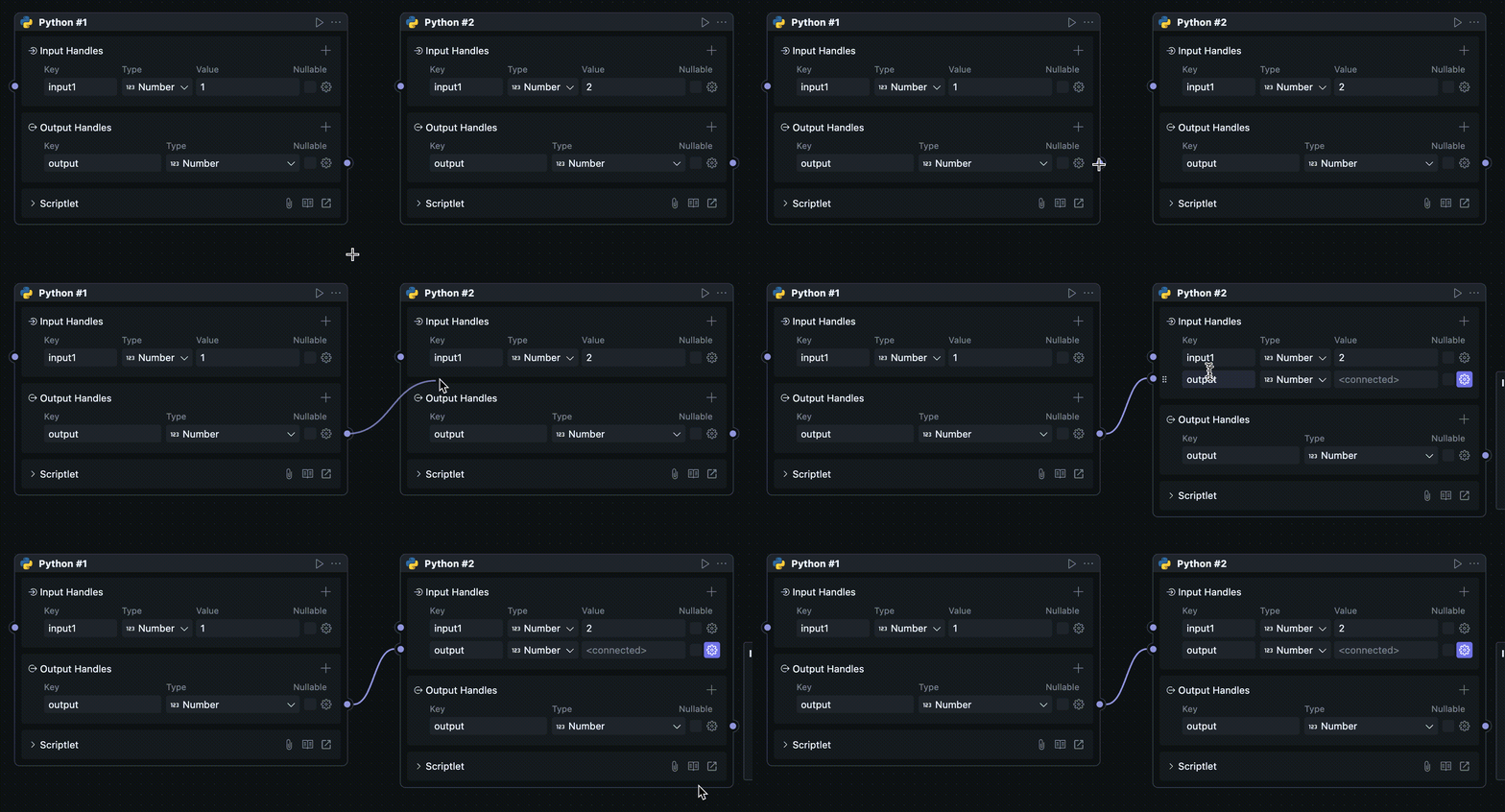
You can quickly create a new Handle by dragging a wire endpoint just above or below an existing Handle while connecting. The new Handle copies the connected Handle's name and type, so you do not need to configure it again.
This method works for both input and output Handles, but is only available for scriptlet Blocks.
Automatic Interface Type Updates
In the scriptlet code, you can see comments like:
#region generated meta
...
#endregion
These comments are used to generate the type declarations for input and output Handles automatically. Deleting them can cause the code types and Block configuration to drift apart.
Whenever you modify a Handle's name or type on the Node, OOMOL Studio updates the generated code inside this region. Do not put your own code inside it.
If you need to import dependencies, please make sure to write the import statements outside of these two comment ranges.
You can also choose to delete these comments and manually write the type code. After deleting the comments, Handle types will not be automatically updated, and you need to ensure that the code remains consistent with the Handle configuration on the Node.
AI-Assisted Editing
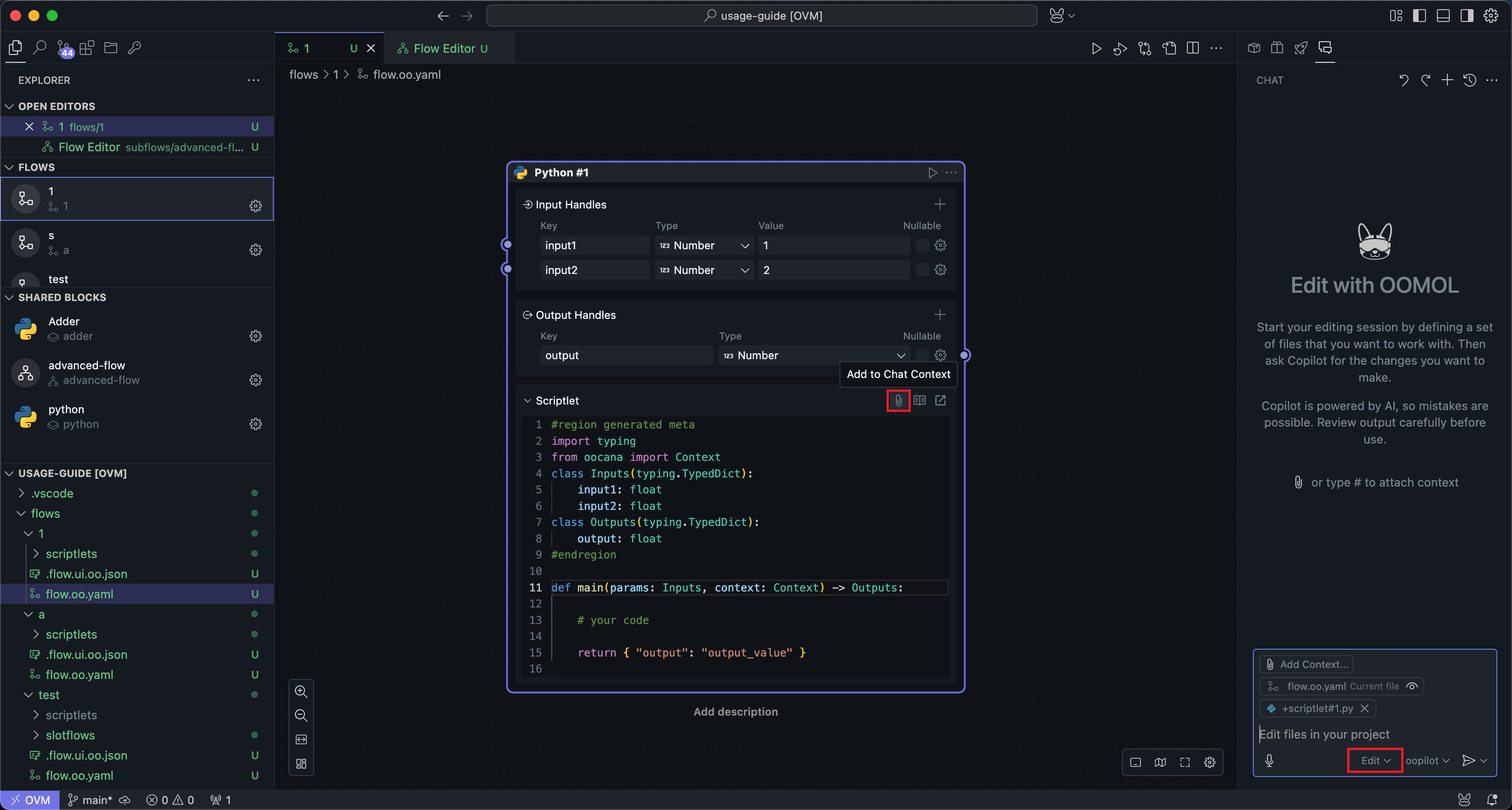
When editing code, you can try having AI help you implement functionality. In the menu bar of the scriptlet code box, click the Add Chat to Context button to open the AI chat box on the right side.
We are adding a new input Handle here.
Then select edit mode at the bottom of the AI chat box to give AI permission to modify files for you.
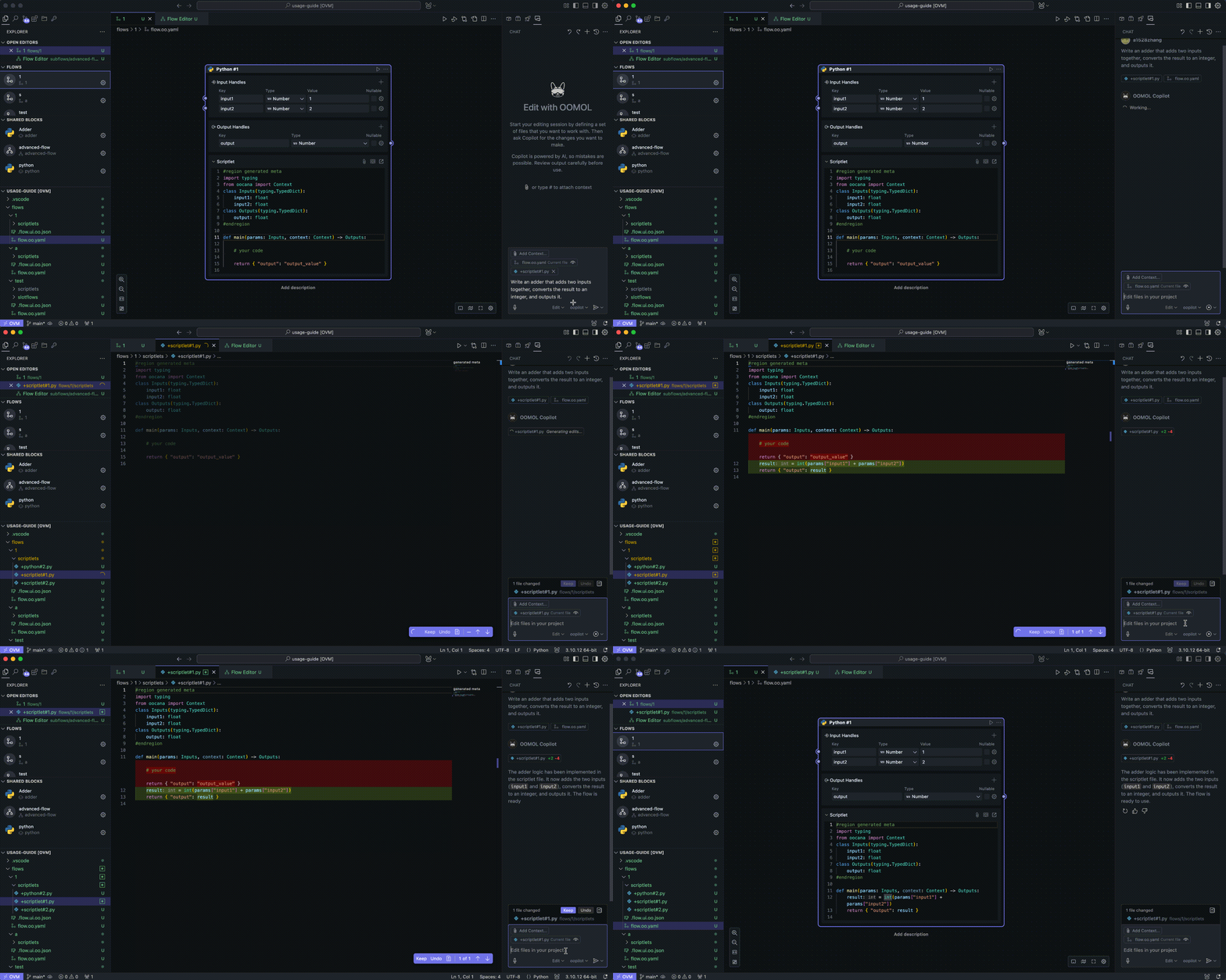
Next, you can describe your purpose and wait for the code to be automatically generated:
Preview
You can call the Node.js preview API or Python preview API in your code to observe various types of data.
Using the context.preview() method in your code allows you to render various types of data below the Block after the Block runs.
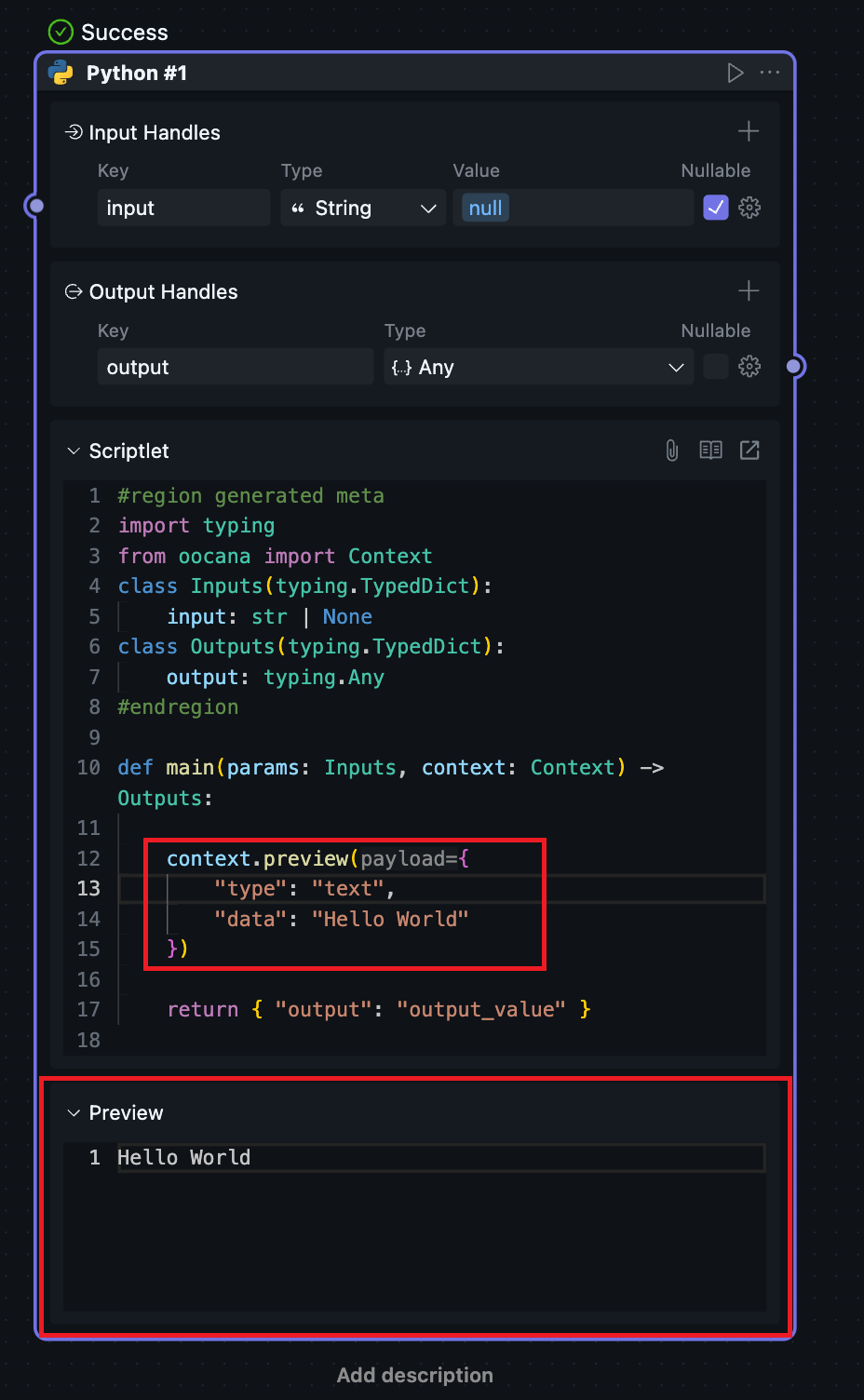
Make sure context.preview() is called inside the exported entry function.
The Context API also includes functions for reporting progress, reading built-in model configuration, and obtaining local hardware information.
For detailed API documentation, refer to Node.js Context API and Python Context API.
Calling Fusion SDK
Many Scriptlet Blocks primarily exist to wrap a Fusion-hosted capability into a reusable block.
In that case:
- keep block orchestration, outputs, preview, and progress on
context - call Fusion itself through
oomol-fusion-sdk - read auth and base URL from runtime
context, not from hardcoded literals
TypeScript uses:
token: await context.getOomolToken()baseUrl: context.fusionApiUrl
Python uses:
token=await context.oomol_token()base_url=context.fusion_api_url
See Fusion SDK Overview, Fusion SDK for TypeScript, and Fusion SDK for Python.
Streamlined Module Import in TypeScript
In TypeScript projects, you can use the ~ alias to reference the project root for simpler module imports. For example:
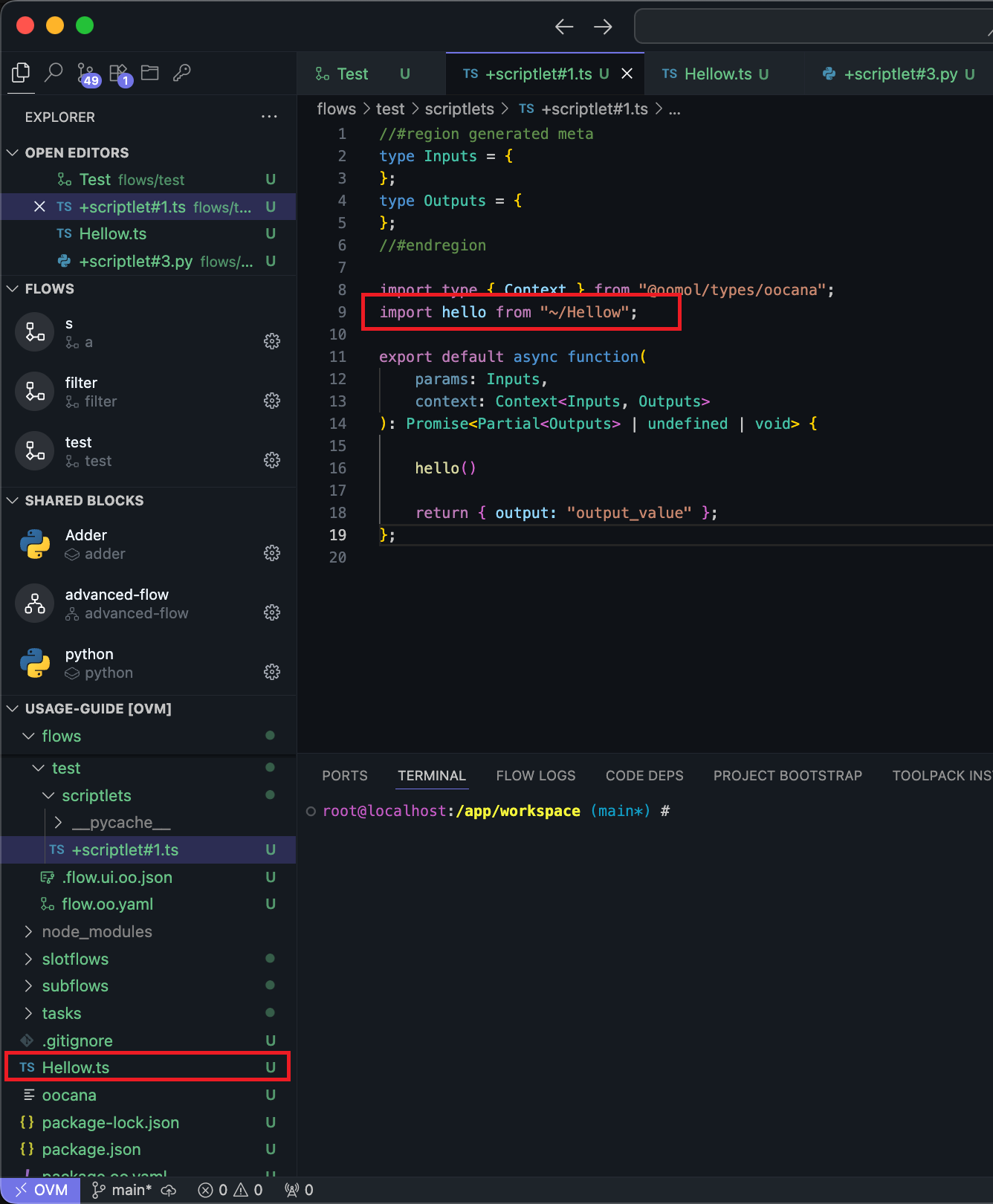
~/Hello resolves to the Hello.ts module in the project root.