
Subflow Block Advanced Usage
After creating a subflow Block, click it in the left shared Block panel to open its editing page.
At the bottom of that page, you will see two modes: Block mode and workflow mode.
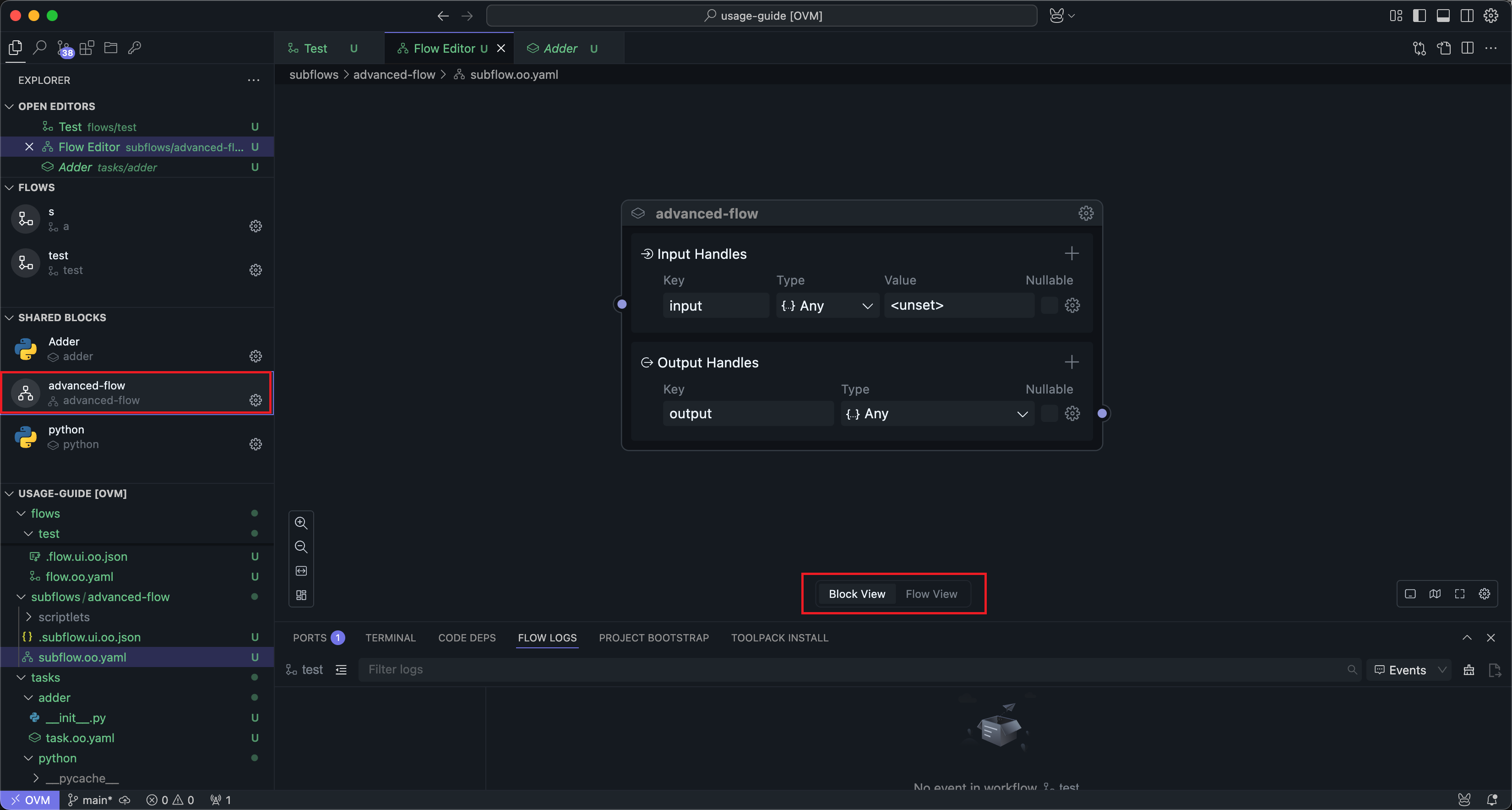
The configuration in Block mode is basically consistent with the configuration in Universal Block Settings. Here we mainly introduce the usage in workflow mode.
Position in the Reuse Model
Subflow Blocks sit between ordinary Flows and task Blocks:
| Concept | Best used for | File form |
|---|---|---|
| Flow | Final runnable logic, experiments, tests, and debugging | flow.oo.yaml |
| Task Block | One stable operation | task.oo.yaml |
| Subflow Block | Reusable multi-step logic | subflow.oo.yaml |
| Slotflow | The implementation of one slot inside a subflow usage | slotflow.oo.yaml |
A common pattern is:
- Build and verify logic in a normal Flow.
- Extract the repeated multi-step section into a subflow Block.
- Keep changeable behavior as slots so different callers can provide different implementations.
Input and Output Nodes
After entering workflow mode, you can see two special Nodes added to the subflow interface:
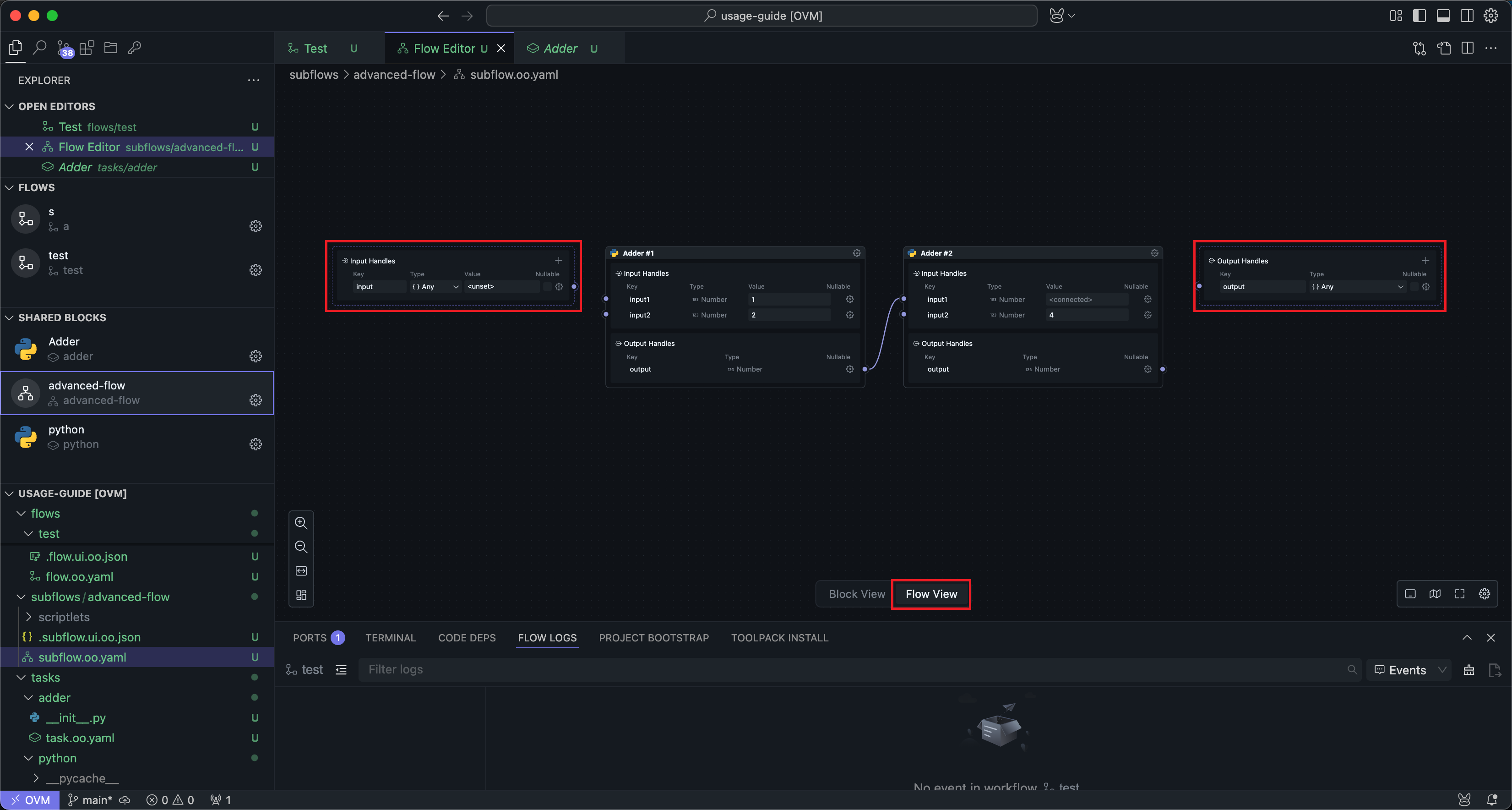
These two Nodes actually correspond to the input and output Handles in Block mode. If your subflow is not connected to the input and output Handles, the subflow cannot receive input from the outside and produce output.
The usage of input and output Nodes is basically consistent with the input and output Handles in Block mode, except that there is an additional quick Handle creation operation:

The quickly created Handle will copy the name and type of the connected Handle.
The Handles created on the input and output Nodes will also be reflected in the input and output Handles in Block mode, and vice versa.
Input and output Nodes cannot be deleted. If users don't need input or output, they can choose not to connect wires.
In authoring terms, these Nodes are the public boundary of the subflow. Everything connected between them is internal implementation detail. Everything exposed on them becomes part of the subflow's contract to the outside world.
Slots
Slots are shared Blocks dedicated to subflow Blocks, which only appear in the right system Block panel when in the workflow editing mode of subflow Blocks.
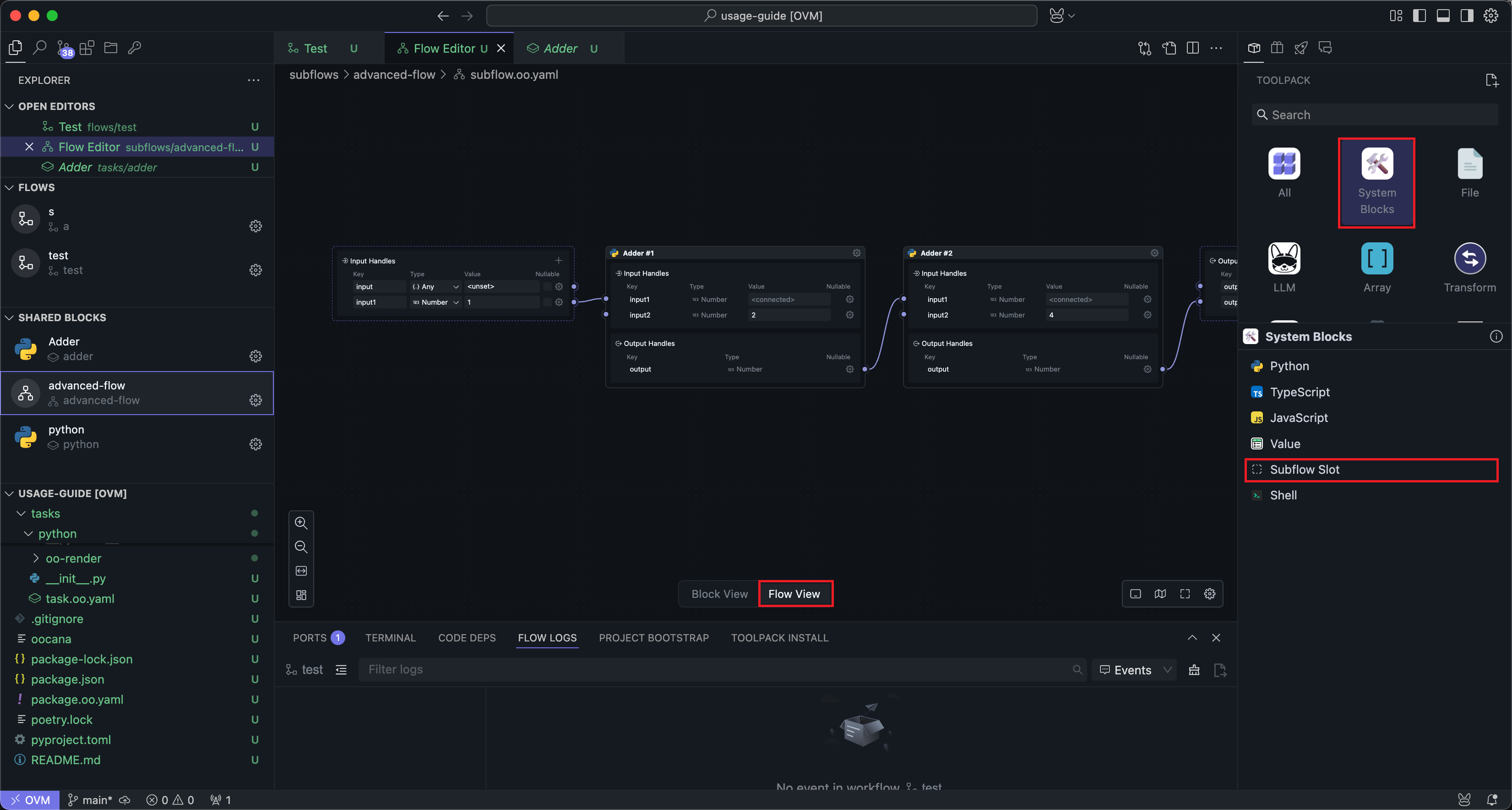
The Significance of Slots
Sometimes a subflow author needs a capability but does not want to hard-code its implementation, or explicitly wants callers to provide that implementation themselves. Slots solve this by letting the caller supply part of the behavior while keeping the rest of the subflow stable.
For example: A subflow Block developer needs to analyze data through AI, so the developer defines a slot where the input is data content and the output is a string of analysis results. Then users can implement different AI analysis Blocks based on their own AI keys, using their own API tokens.
Slots are also useful when part of the implementation changes frequently. Instead of editing the core subflow every time, you can extract that changing section into a slot and replace it at the call site.
For example: A developer relies on a third-party library that updates very frequently. They can define a slot where the input is the input passed to the third-party library and the output is the output of the third-party library, then publish the subflow. This way, the third-party library can be integrated into the subflow externally, and when the third-party library updates, only the external Block needs to be updated, while the subflow doesn't need to be updated.
The slot itself is a Block, but only its input and output Handles are configurable.
Usage
Slots are used similarly to regular shared Blocks and can be dragged into the workflow for wiring:
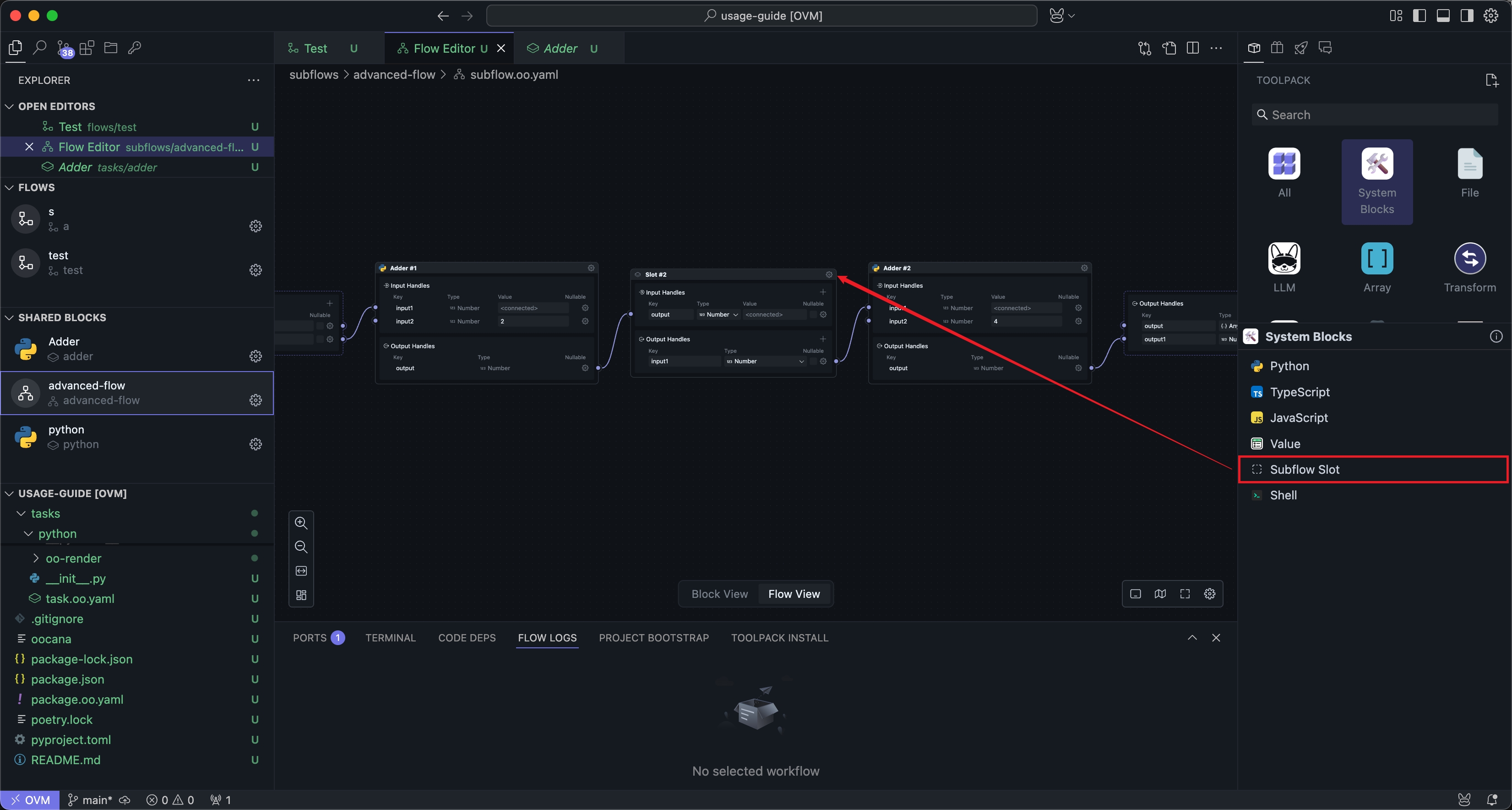
The main difference is that you can edit Handle names and parameters directly on the slot Block itself.
After adding and connecting slots, returning to Block mode shows that the subflow Block has an additional slot panel:
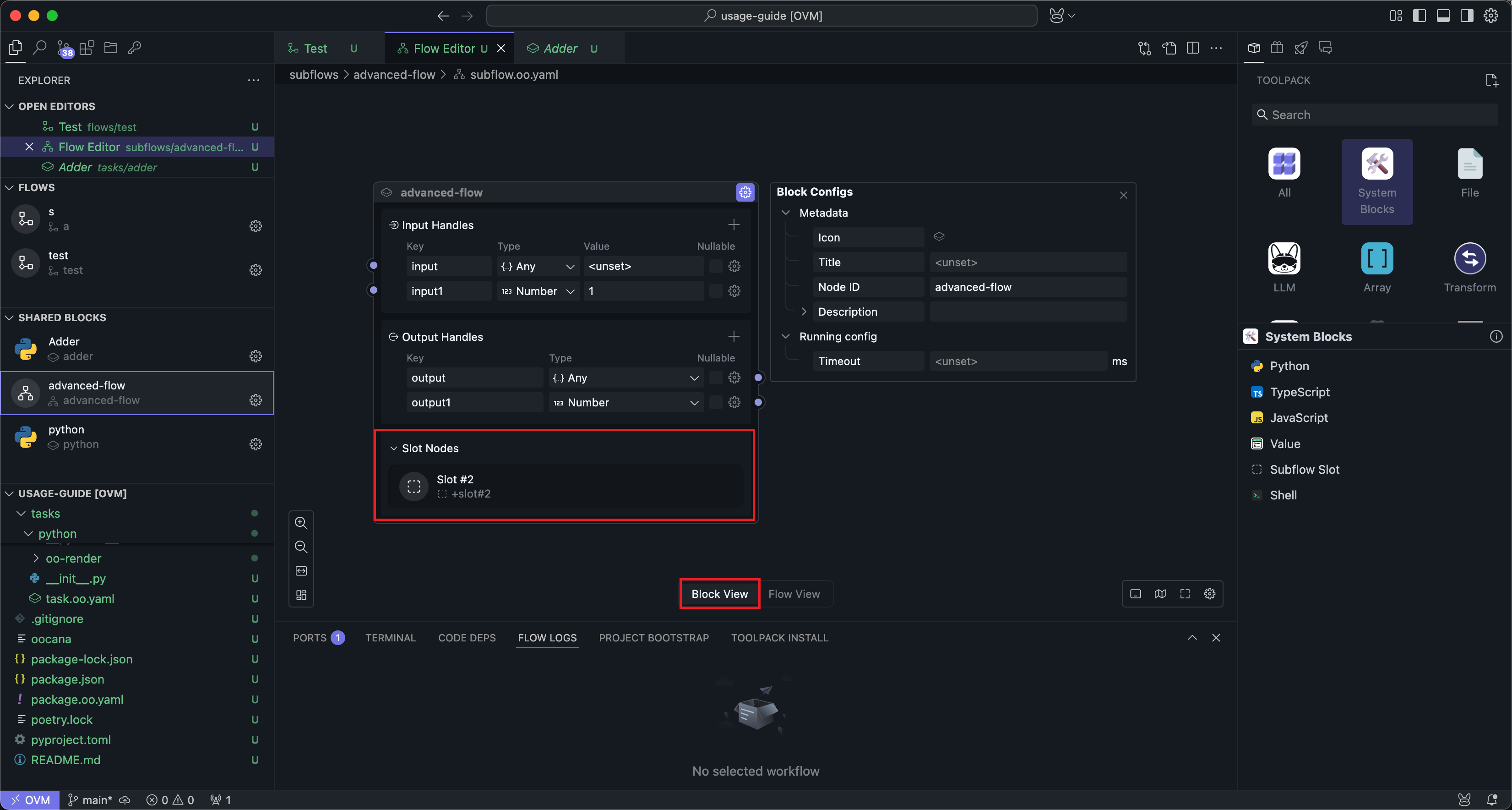
This slot panel is display-only.
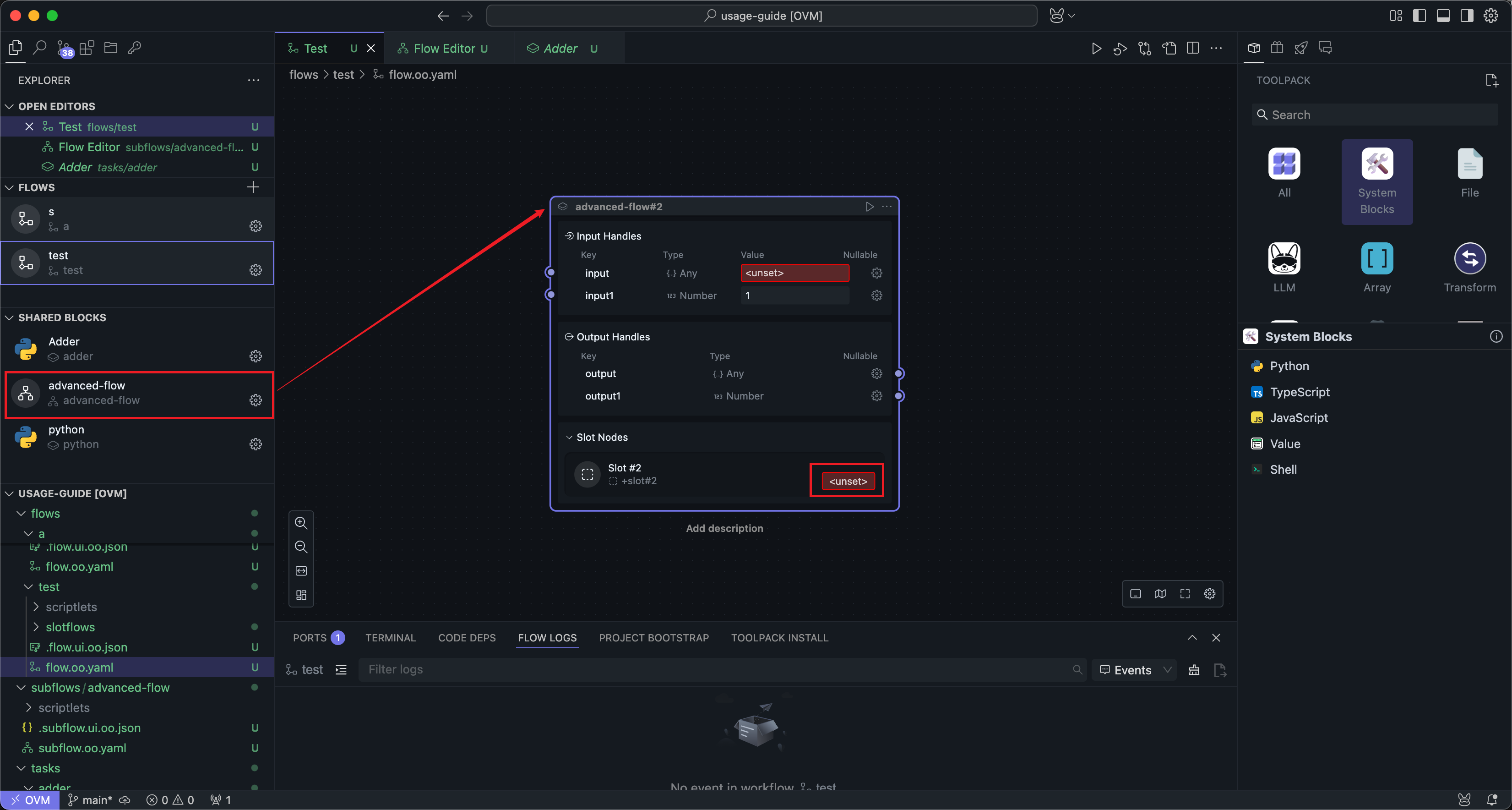
When the subflow Block is used in a workflow, you can click the slot's settings button to enter the slot's editing interface:
The slot editing interface is mostly the same as the subflow editing interface. In practice, you can think of a slot as a specialized kind of subflow:
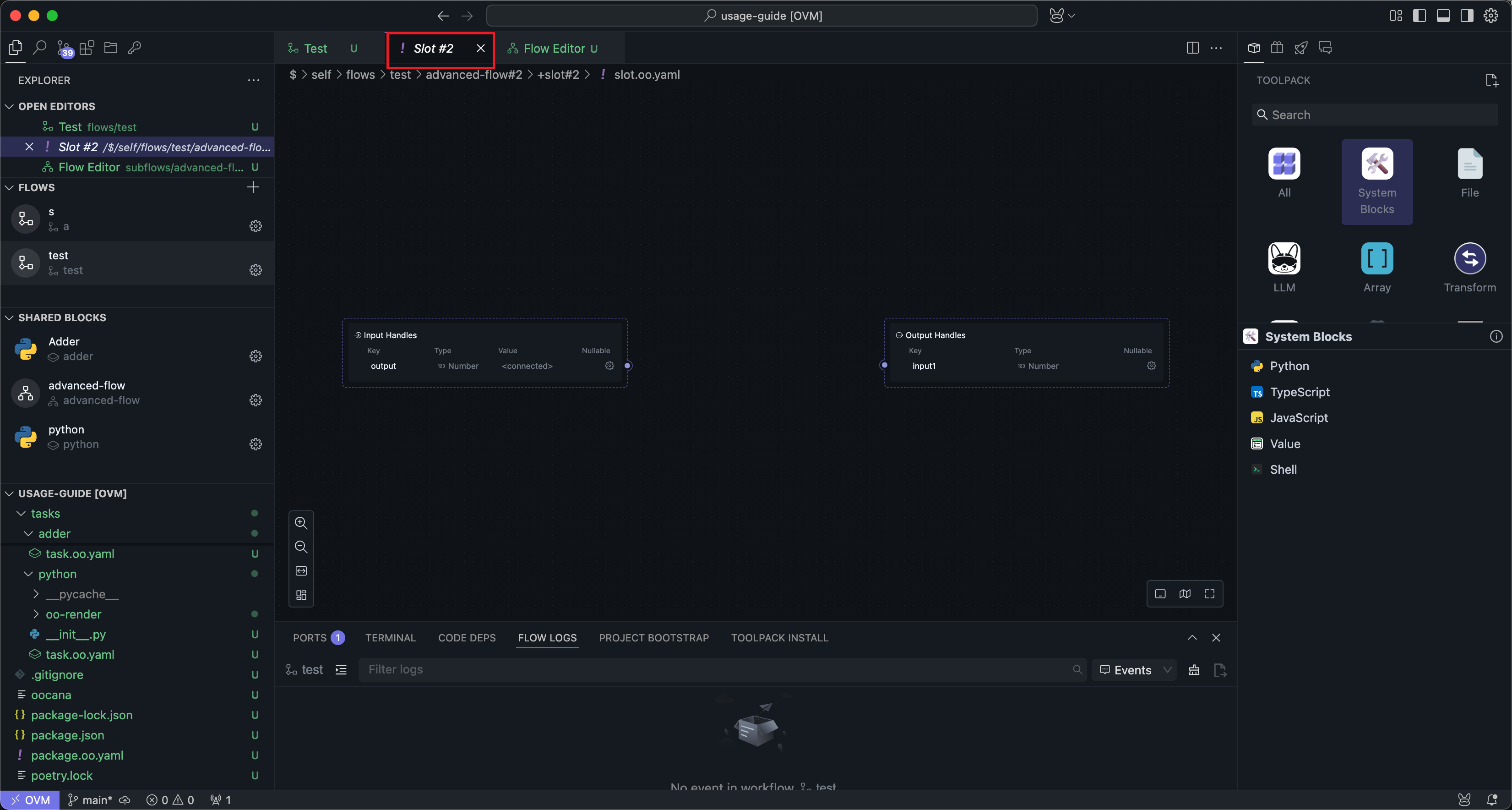
Slots also have input and output Nodes, and you can insert one or more Nodes within the slot. This is consistent with the subflow editing method.
After editing is complete, return to the workflow interface to run the subflow Block:
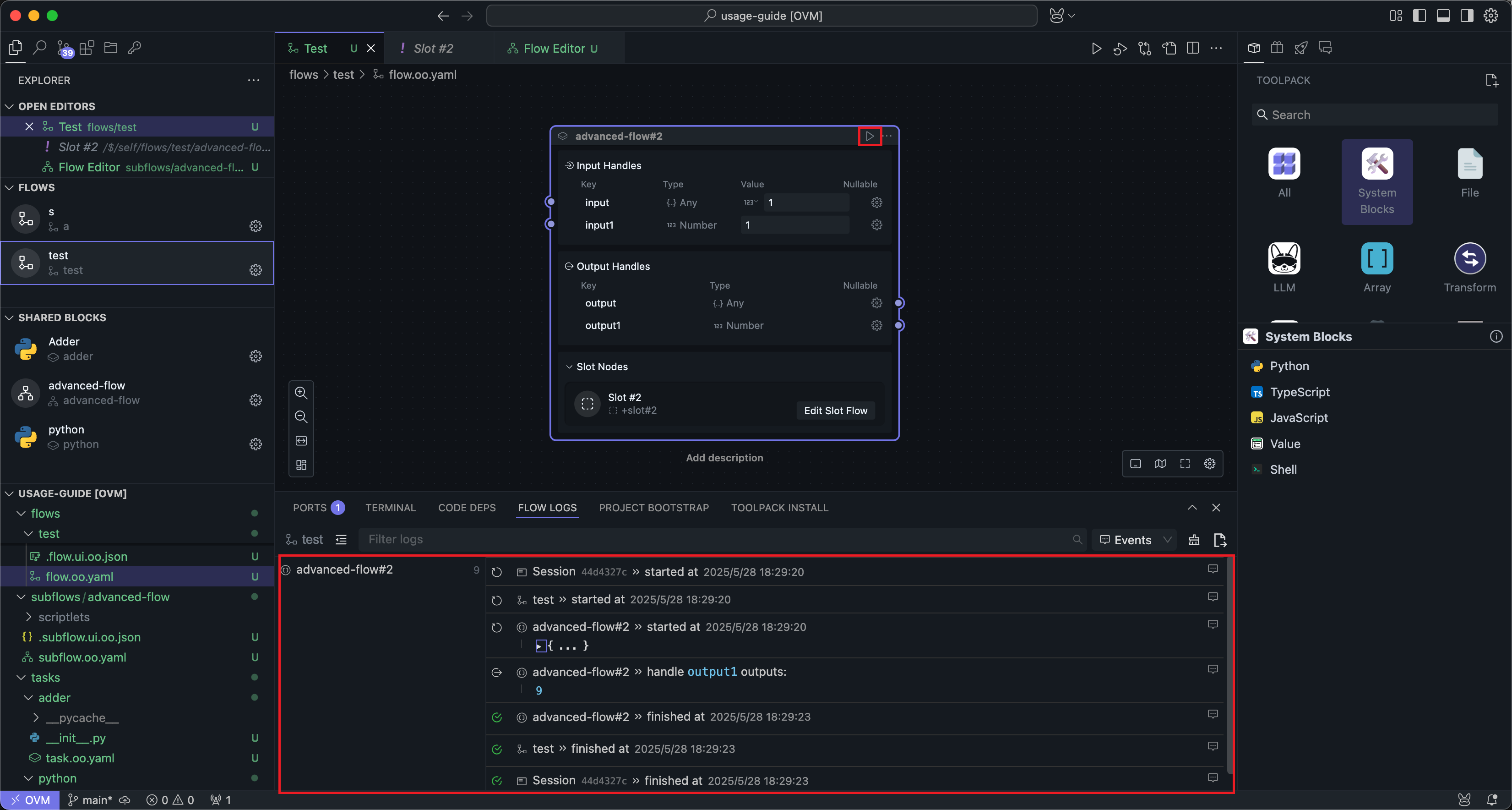
Subflow Blocks run like ordinary Blocks, except that any required slot content must be implemented first. Otherwise, the subflow does not have enough information to run.
Slotflow
When a subflow containing slots is used in a caller Flow, each slot is implemented by a small workflow. This workflow is often called a slotflow.
You can think of the relationship like this:
- The slot defines what inputs it will send out and what outputs it expects back.
- The slotflow provides the concrete implementation for that contract.
- Different caller Flows can provide different slotflows for the same subflow.
This is what makes subflows reusable without hard-coding every internal decision.
Forwarding Previews
Subflows may contain many internal Nodes, and several of them may emit previews. In most reusable subflows, callers do not need to see every internal preview. Instead, subflows can selectively forward the previews that matter most to the outside.
forward_previews:
  - files-downloader#1
This is especially useful when a subflow wraps a larger internal graph but you still want the caller Flow to see one or two meaningful user-facing previews.
Good practice:
- Forward only the 1-2 previews that are most useful to end users.
- Prefer previews that explain progress or expose the most important artifact.
- Avoid forwarding every internal preview, otherwise the subflow stops feeling encapsulated.
For the preview API itself, see Node.js SDK API or Python SDK API.
Data Routing Model
If you edit subflows through YAML or want to reason precisely about how data moves, the following terms are the key ones:
| Field | Meaning |
|---|---|
inputs_def | Public inputs accepted by a task, subflow, or slot |
outputs_def | Public outputs declared by a task, subflow, or slot |
inputs_from | Where a Node receives each input from |
outputs_from | How a subflow or slotflow exposes internal results outward |
from_flow | Read data from the outer boundary of the current subflow or slotflow |
from_node | Read data from another internal Node |
In UI terms, this is just wiring. In authoring terms, it is the contract that determines what can enter and leave the reusable unit.
Two rules are especially important:
- A public output of a subflow must be routed from an internal result.
- Slot output names and slotflow output names must match exactly, otherwise the subflow cannot receive the expected result.
If a public output is routed from multiple internal sources, the first valid completed source becomes the outward-facing result. This is useful for short-circuit branches such as empty-array handling.
Reference Forms in YAML
If you edit reusable units through YAML, the most common local reference forms are:
| Use case | Form |
|---|---|
| Reference a local task | task: self::{name} |
| Reference a local subflow | subflow: self::{name} |
| Reference a local slotflow | slotflow: self::+slotflow#N |
When a reusable unit comes from another package, use that package namespace instead of self::.
Authoring Rules
The UI hides much of the file structure, but the underlying model still follows a few stable rules:
- Root-level
outputs_fromis required for a subflow to expose outputs to its caller. - A slot Node still needs upstream input wiring. Defining slot Handles alone is not enough.
- Extra parameters passed into a slot need both a declared Handle and actual wiring in the caller Flow.
- Slotflow outputs should match the slot contract exactly.
- If a subflow can finish through multiple valid branches, its public output can route from multiple internal sources.
- Optional Handles can be modeled with
nullable, and when a default is intentionally empty, leaving the value empty is often clearer than inventing a placeholder value.
This is commonly used for short-circuit cases such as empty arrays.
Canonical Array Pattern
The built-in Map and Filter style subflows are good examples of the standard array-processing pattern:
This pattern exists for a reason:
self::switch-by-lengthcleanly separates empty and non-empty arrays.self::eachemits item-by-item iteration data.switch-by-lengthhandles the empty-array branch early.eachemits one item at a time together with metadata such as index and length.slotleaves the per-item behavior replaceable.reduceror collector Nodes accumulate the final result.
If you are designing reusable multi-item processing, this pattern is usually easier to maintain than putting all logic into one large script Node.
For a field-by-field reference of YAML forms such as inputs_def, outputs_from, and self:: references, see Flow YAML Authoring.