
Flow
A Flow is a specific implementation of a business purpose.
After creating a project, you can start implementing your business purpose.
Related Concepts
Flow is the runtime container that organizes different reusable units. In practice, users usually work with the following four concepts together:
| Concept | Typical location | What it represents | Can be reused by other Flows |
|---|---|---|---|
| Flow | flows/ | A runnable workflow used as an entry point, test case, or final application logic | No, a Flow itself is not inserted directly into another Flow |
| Task Block | tasks/ | A reusable single-operation Block | Yes |
| Subflow Block | subflows/ | A reusable multi-step workflow wrapped as one Block | Yes |
| Slotflow | Created inside a Flow when configuring a slot | A small workflow that implements the contract of a slot in a subflow | It serves the slot it belongs to |
If you want to package a complete multi-step capability and use it elsewhere, convert it into a Subflow Block. If you only need one atomic operation, a task Block is usually enough.
Creation
After you create a project, OOMOL Studio will create a default Flow for you. You can also create a new Flow through the create button in the left Flow panel.
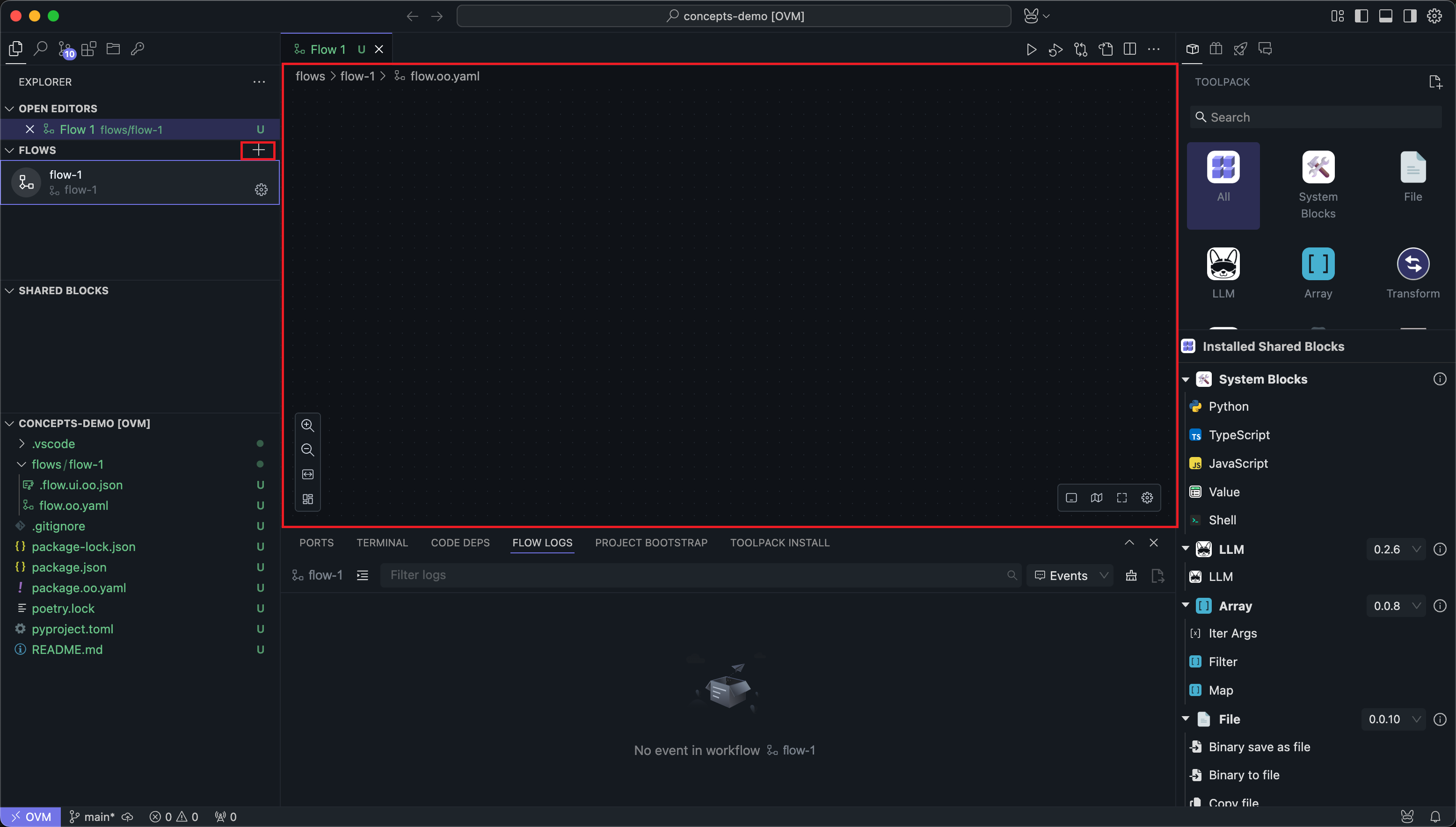
After selecting a Flow, you can see that the central panel enters the Flow editing window.
Editing
A Flow itself is composed of one or more Nodes. You can find various Blocks from the right Block panel, and after adding them to the Flow, they become Nodes of the Flow.
A Flow must have at least one Node to be meaningful. Here we add two Nodes to the Flow: one for creating an email client and one for sending emails. Then we connect the Nodes:
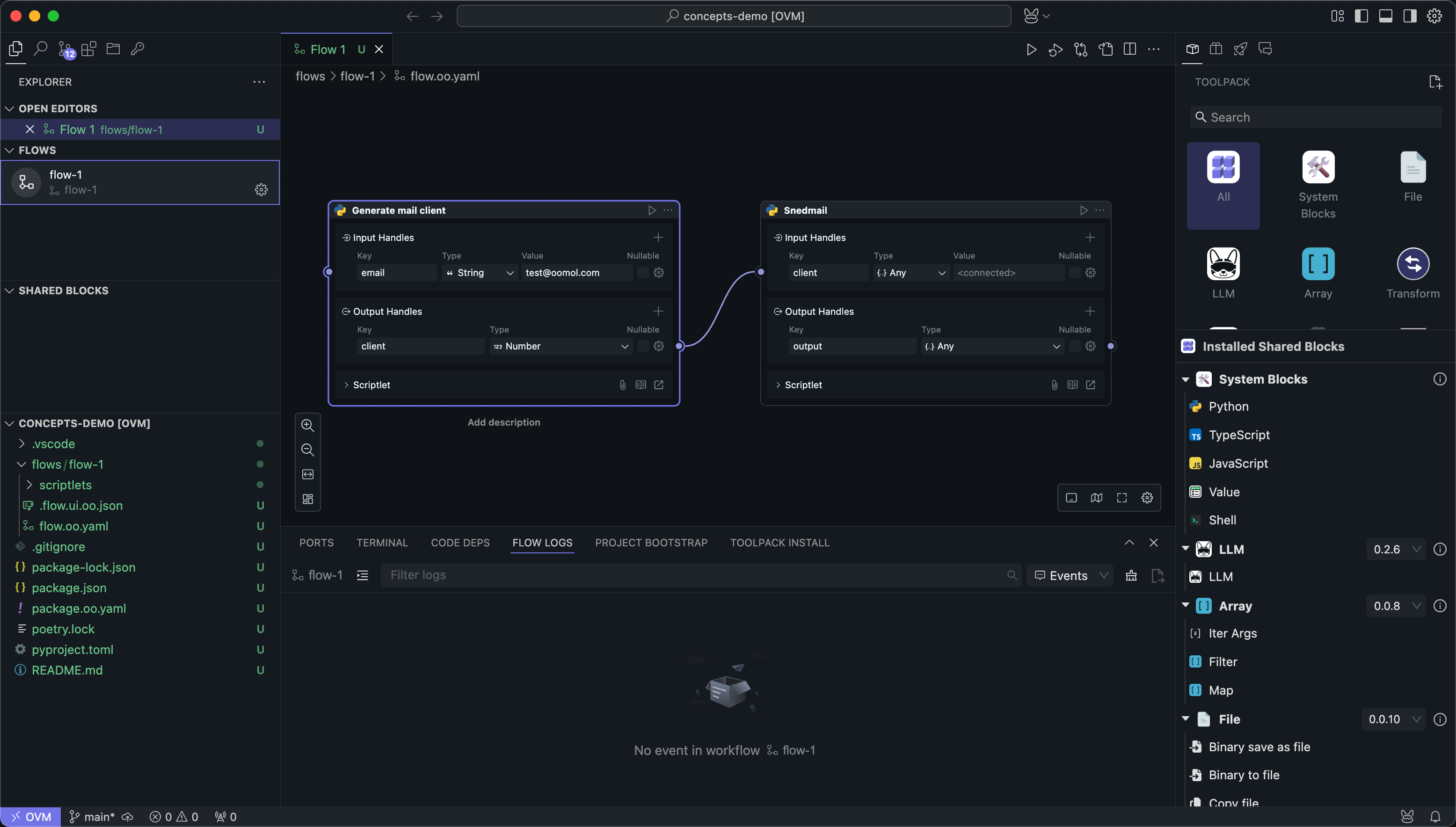
This way, the Flow implements an email sending business, which is divided into two steps: first create an email client, then use the client to send emails.
Each Node in a Flow is responsible for one part of the business logic. Some Nodes are direct task executions, some are subflow invocations, and some are helper Nodes such as the Value Block.
Execution Model
The scheduler in OOMOL Studio is data-flow driven. In other words, a Node runs when the data required by its input Handles is ready, not because it appears later on the canvas.
Execution
In OOMOL Studio, only Flows are executable concepts. We can run the entire Flow or run Nodes within the Flow:
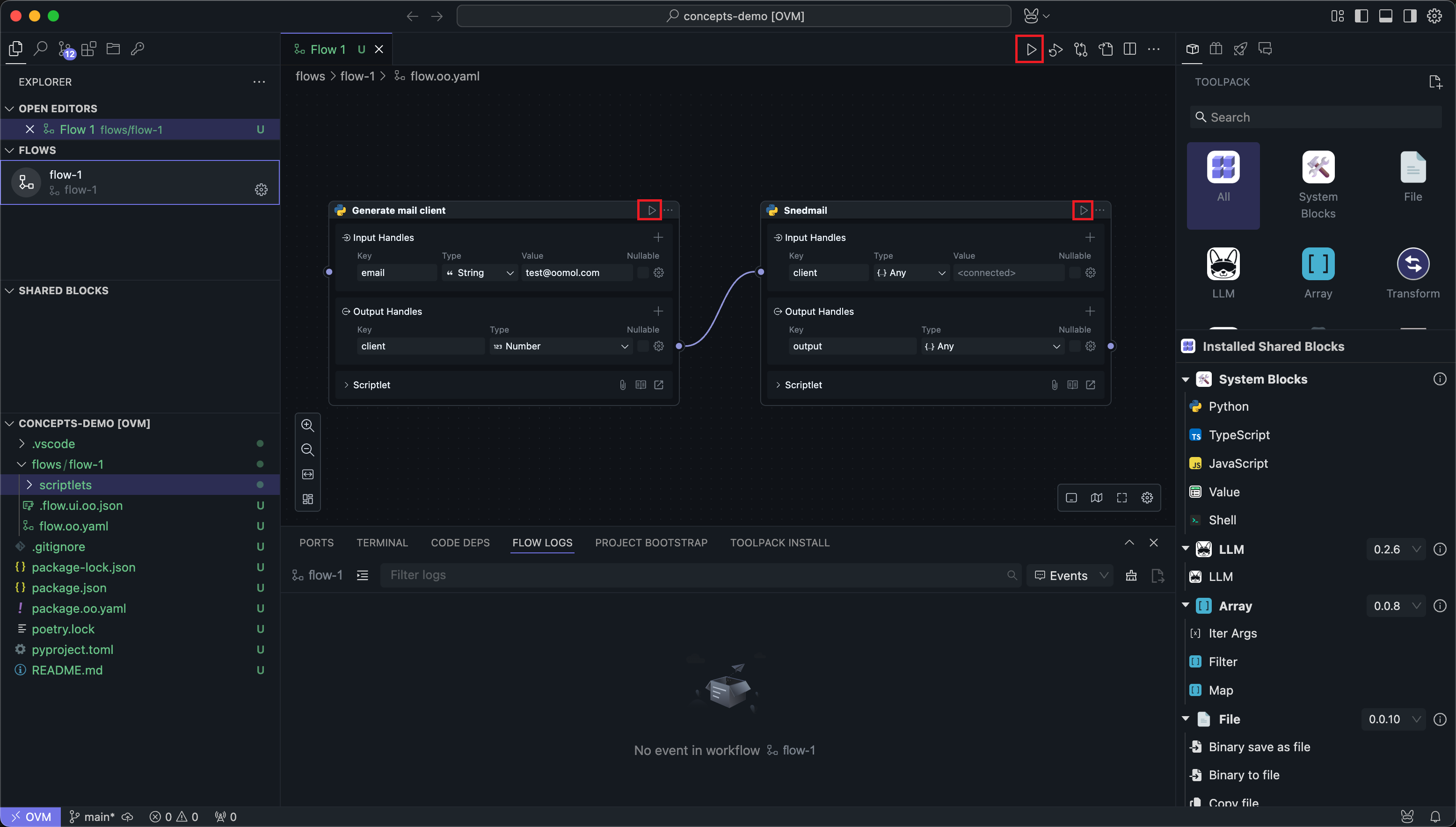
The execution order of a Flow follows the connections between Nodes. Before execution, OOMOL Studio performs a search to find Nodes with unconnected input Handles as the starting Nodes for execution. If there are multiple starting Nodes, all these starting Nodes will start running simultaneously.
Then Nodes are executed in the order of output Handle -> input Handle connections until completion.
This model leads to a few important consequences:
- Canvas position does not define execution order. Wiring does.
- Multiple start Nodes can run in parallel if they do not depend on each other.
- A selected Node can be run together with its required upstream Nodes, which makes debugging local sections of a Flow easier.
- Subflow Nodes behave like ordinary Nodes in the caller Flow. Their internal details stay encapsulated unless you open the subflow itself for editing.
There is a special case of wiring here. The wiring of the Value Block is only considered as assignment and will not affect the result of judging whether the Node is the start Node.
Flow Boundaries
A Flow is also the boundary for several kinds of configuration:
- Runtime records and logs are collected per Flow run. See Run & Debug.
- Shared Blocks can be inserted multiple times in the same Flow, and each inserted instance becomes a separate Node.
- A Flow can be turned into a reusable subflow Block when the internal multi-step logic should be reused in other Flows.