
Node
A Node is a Block that composes a Flow. It is the name for a Block in a specific usage environment.
When you place one or more Blocks in the Flow editor:
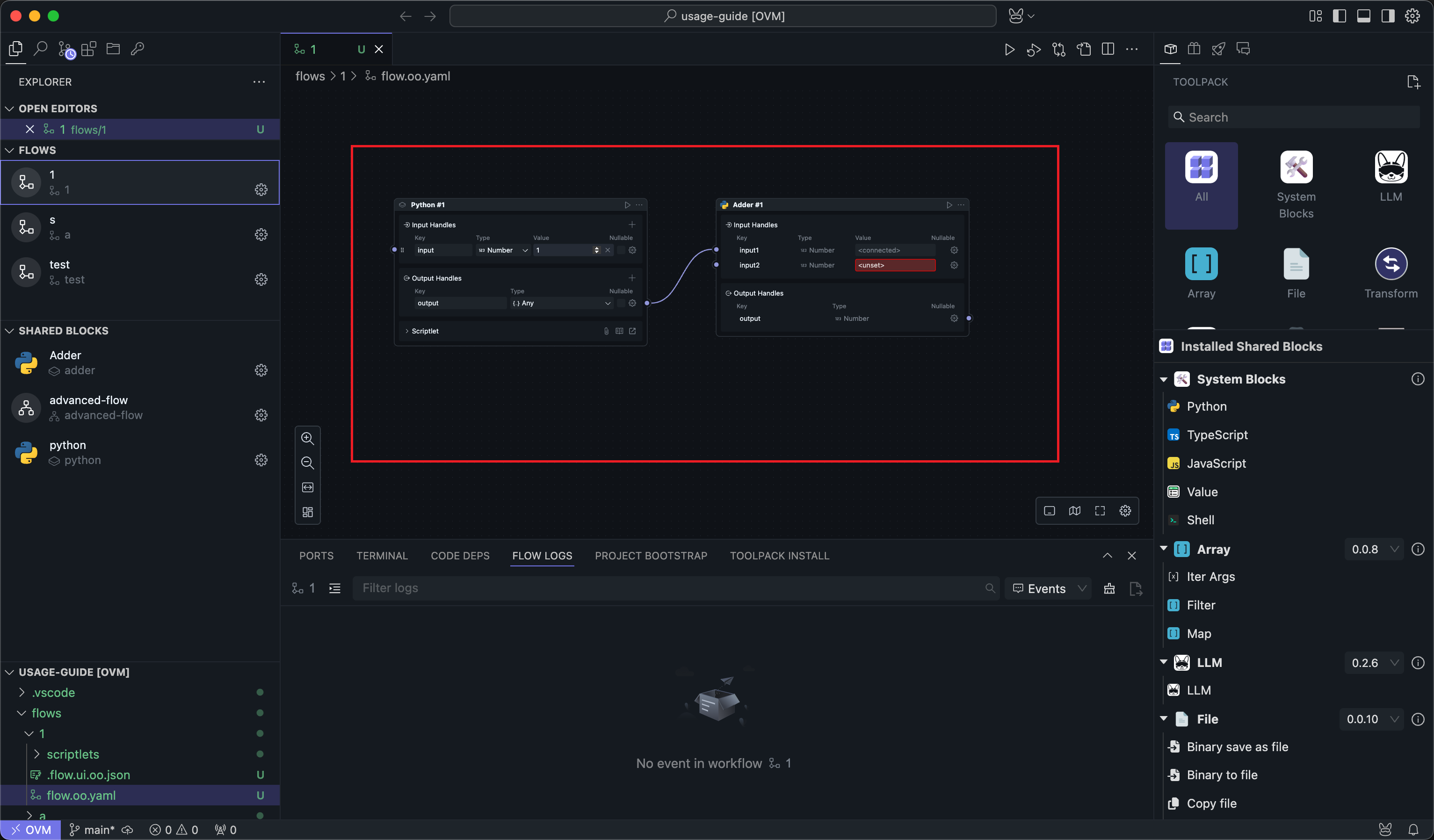
These Blocks in the Flow are called Nodes. A Block itself can be seen as an encapsulated functionality, but it has no meaning and cannot be executed if it is not used in a specific working environment.
Therefore, Blocks in a Flow take on the functionality of a specific part of the business process, and at this point they become executable Nodes.
Common Node Types
Although they all appear as Nodes on the canvas, they do not all play the same role:
| Node type | Source | Purpose |
|---|---|---|
| Task Node | A shared task Block | Executes one reusable operation |
| Subflow Node | A shared subflow Block | Encapsulates multiple internal steps as one Node |
| Script Node | A script Block created directly in the Flow | Lets you edit code inline and run it immediately |
| Value Node | The built-in Value Block | Provides reusable input values and assignment-only connections |
| Slot Node | A slot placed inside a subflow | Declares a pluggable behavior contract |
| Input / Output Node | Special Nodes inside a subflow or slotflow | Represent the public boundary of that subflow |
This distinction matters mainly when you are editing or reusing logic. For example, a subflow Node can hide many internal Nodes, while a script Node exposes code directly in the current Flow.
Except for script Nodes, editing Nodes in a Flow does not directly affect the properties and code of the Block itself. Each Node can be considered as a copy that references the Block, and does not affect the original Block definition.
Only script Blocks are special. Script Blocks, as a means to quickly start editing code, are created and used directly in the Flow, so they have both Node and Block configuration properties.
Editing the properties of a script Node is editing the Block itself, and each script Node is independent of each other.
Node Identity and Reuse
When the same shared Block is inserted multiple times into a Flow, each insertion becomes a different Node instance:
- They can have different parameter values.
- They can be wired to different upstream or downstream Nodes.
- They can be run and debugged independently inside the same Flow.
- They still point to the same underlying shared Block definition, unless the Node is a script Node.
This is why a shared Block is reusable while a Node is contextual. A Block defines capability. A Node defines how that capability is used in one specific Flow.
Nodes Inside Subflows
Subflows introduce a few more Node roles that are useful to understand:
- Input and output Nodes define what data the subflow receives from and returns to the caller.
- Slot Nodes let the caller provide part of the behavior from outside the subflow.
- Internal Nodes inside the subflow are not visible in the caller Flow. The caller only sees one subflow Node.
For more details about subflow-specific Nodes, slots, and slotflows, see Subflow Block Advanced Usage.