
Python API
Introduction
Developers use this SDK inside Scriptlet Blocks to interact with the OOCANA workflow engine. This document covers the most important APIs and how to use them.
If your block needs to call Fusion-hosted services, use oomol-fusion-sdk with token=await context.oomol_token() and base_url=context.fusion_api_url.
See Fusion SDK Overview and Fusion SDK for Python.
Quick Start
To use the SDK in a Scriptlet Block, import the Context object and call the related APIs through it.
Scriptlet Template
Below is the standard Scriptlet template. Write your execution logic inside the function body. The input and output types can be customized, and third-party libraries are supported. To pass data to downstream blocks, return a dictionary as you would in a normal function. OOCANA uses the top-level keys as output handles, and the corresponding values as the outputs for those handles.
from oocana import Context

def main(params: dict, context: Context):

    # Write your execution logic here
    # For example, return an `output` value of None.
    return { "output": None }
Common APIs
    def finish(self, *, result: Dict[str, Any] | None = None, error: str | None = None):
        """
        Finish the current block and send the result to oocana.
        If `error` is not None, the block finishes in an error state.
        If `result` is not None, the block finishes with that result.
        If both `error` and `result` are None, the block finishes normally with no result.
        """

    def output(self, key: str, value: Any):
        """
        Output data to downstream blocks.

        key: str, the output key. It must be declared in the block output definition (`handle` field)
        value: Any, the output value
        """

    def outputs(self, outputs: Dict[str, Any]):
        """
        Output multiple values to downstream blocks.

        outputs: Dict[str, Any], output key/value pairs. Keys must be declared in the block output definition (`handle` field)
        """

    # Enable data preview
    def preview(self, payload: PreviewPayload):
    # Get the temporary session directory, which can be used to store temporary files
    def session_dir(self) -> str:
    # Report progress (0-100). A throttle is built in and triggers every 300 ms.
    def report_progress(self, progress: float | int):
    # Read the current OOMOL token for calling OOMOL-owned services such as Fusion
    async def oomol_token(self) -> str:
    # Runtime Fusion API base URL
    fusion_api_url: str
Context.preview Types
context.preview is a core API for previewing different kinds of data. It supports previews for almost all common data formats.
PreviewPayload Types
Function signature: context.preview
    def preview(self, payload: PreviewPayload):
    # Python only
    payload = self.__dataframe(payload)
    # Python only
    payload = self.__matplotlib(payload)

    self.__mainframe.report(
        self.block_info,
        {
            "type": "BlockPreview",
            "payload": payload,
        },
    )
Parameter type: PreviewPayload
     PreviewPayload: TypeAlias = Union[
        TablePreviewPayload,
        TextPreviewPayload,
        JSONPreviewPayload,
        ImagePreviewPayload,
        MediaPreviewPayload,
        DataFrame,
        PandasPreviewPayload,
        DefaultPreviewPayload
    ]

    class TablePreviewData(TypedDict):
        columns: List[str | int | float]
        rows: List[List[str | int | float | bool]]
        row_count: int | None

    class TablePreviewPayload(TypedDict):
        type: Literal['table']
        data: TablePreviewData | Any

    class TextPreviewPayload(TypedDict):
        type: Literal["text"]
        data: Any

    class JSONPreviewPayload(TypedDict):
        type: Literal["json"]
        data: Any

    class ImagePreviewPayload(TypedDict):
        type: Literal['image']
        data: str | List[str]

    class MediaPreviewPayload(TypedDict):
        type: Literal["image", 'video', 'audio', 'markdown', "iframe", "html"]
        data: str

    class PandasPreviewPayload(TypedDict):
        type: Literal['table']
        data: DataFrame

    class DefaultPreviewPayload:
        type: str
        data: Any
Preview Examples
  context.preview({
    # Supported types: "image" | "video" | "audio" | "markdown" | "iframe" | "html" | "json" | "text" | `text/${string}` | "table"
    "type": "video",
    # Data can be: file path, base64, or a pandas DataFrame
    "data": "https://www.w3schools.com/html/mov_bbb.mp4"
  })
The following capabilities are only supported in Python
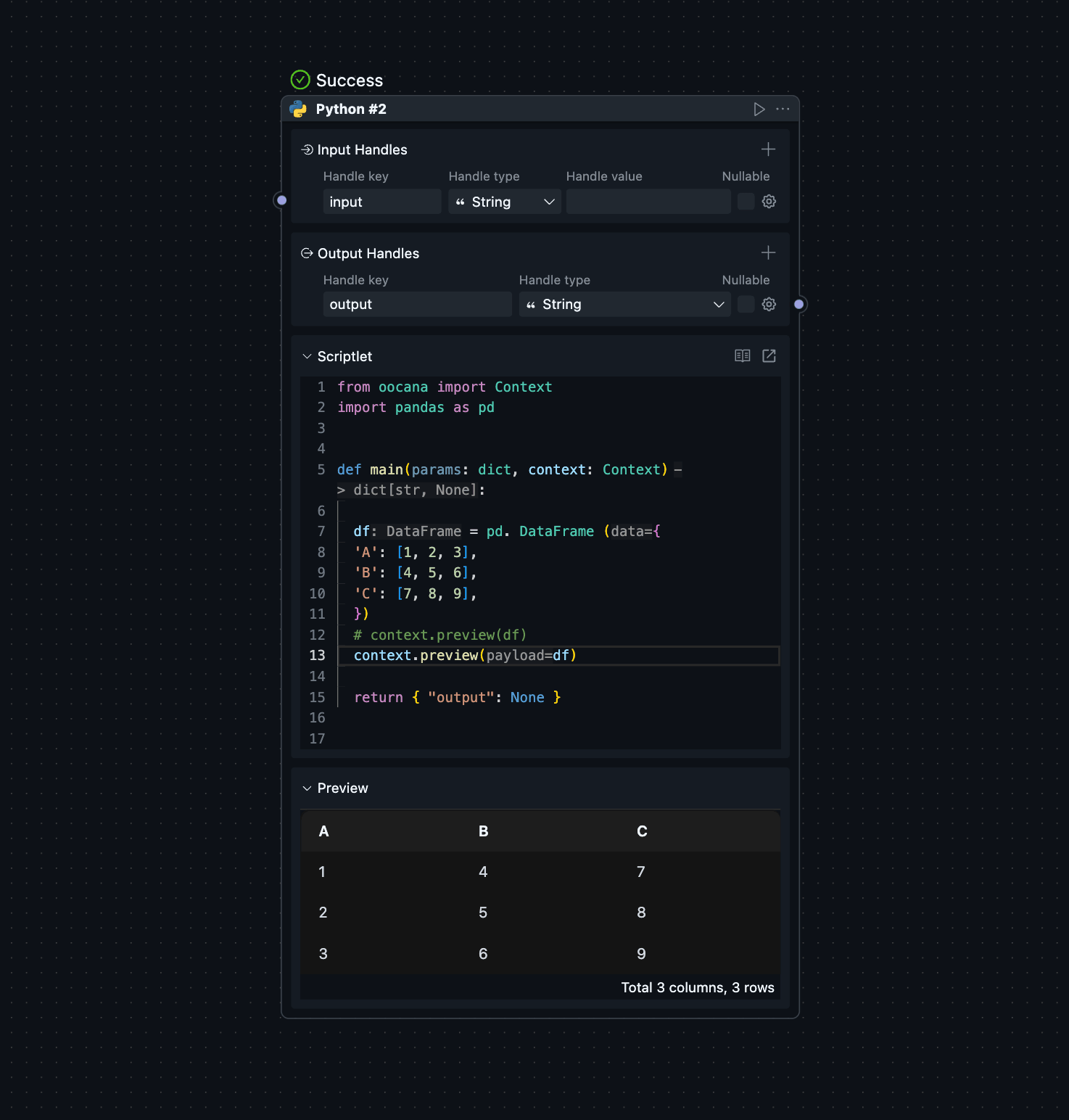
    import pandas as pd

    df = pd.DataFrame({
        'A': [1, 2, 3],
        'B': [4, 5, 6],
        'C': [7, 8, 9]
    })
     context.preview(df)
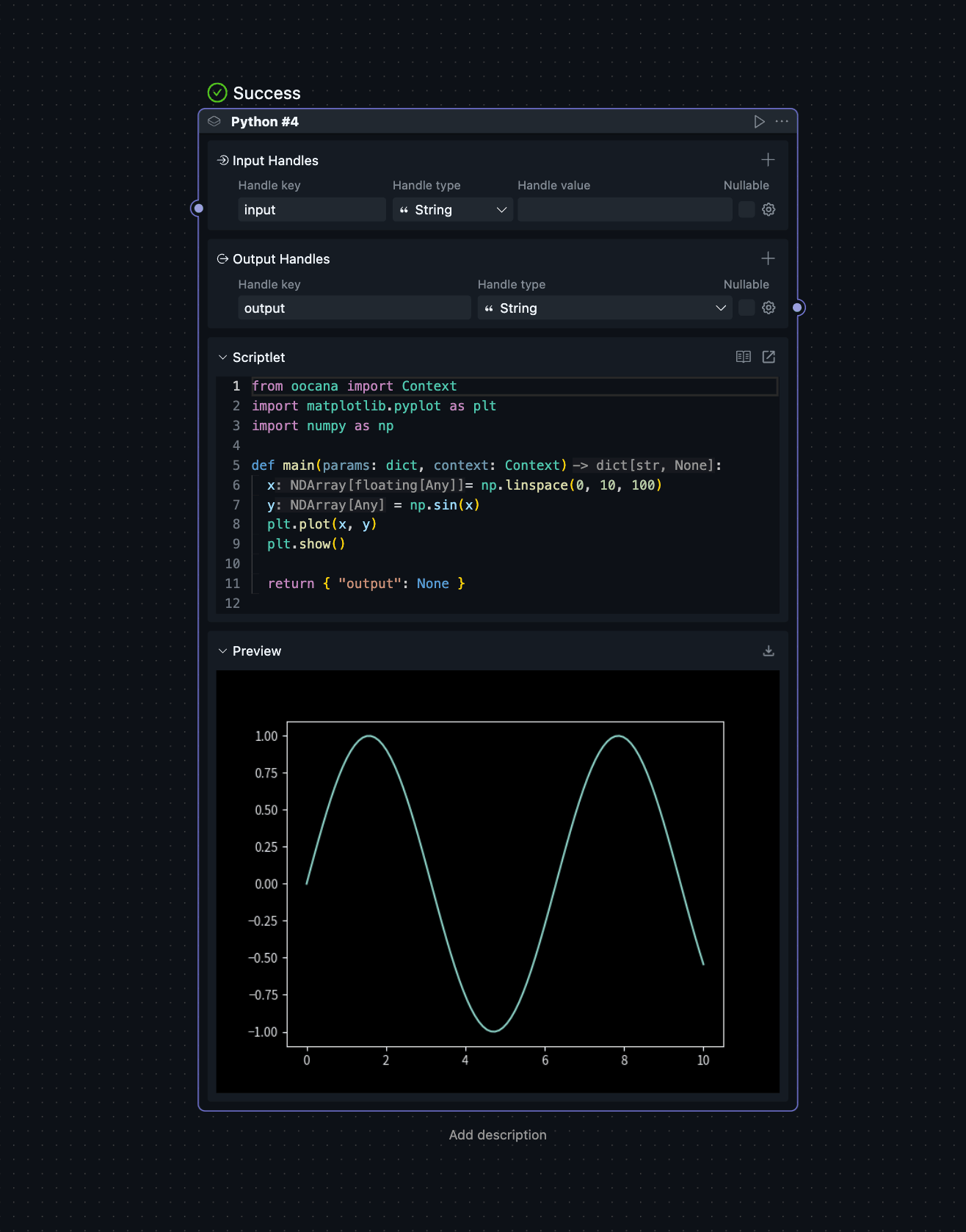
    import matplotlib.pyplot as plt
    import numpy as np

    x = np.linspace(0, 10, 100)
    y = np.sin(x)
    plt.plot(x, y)
    plt.show()
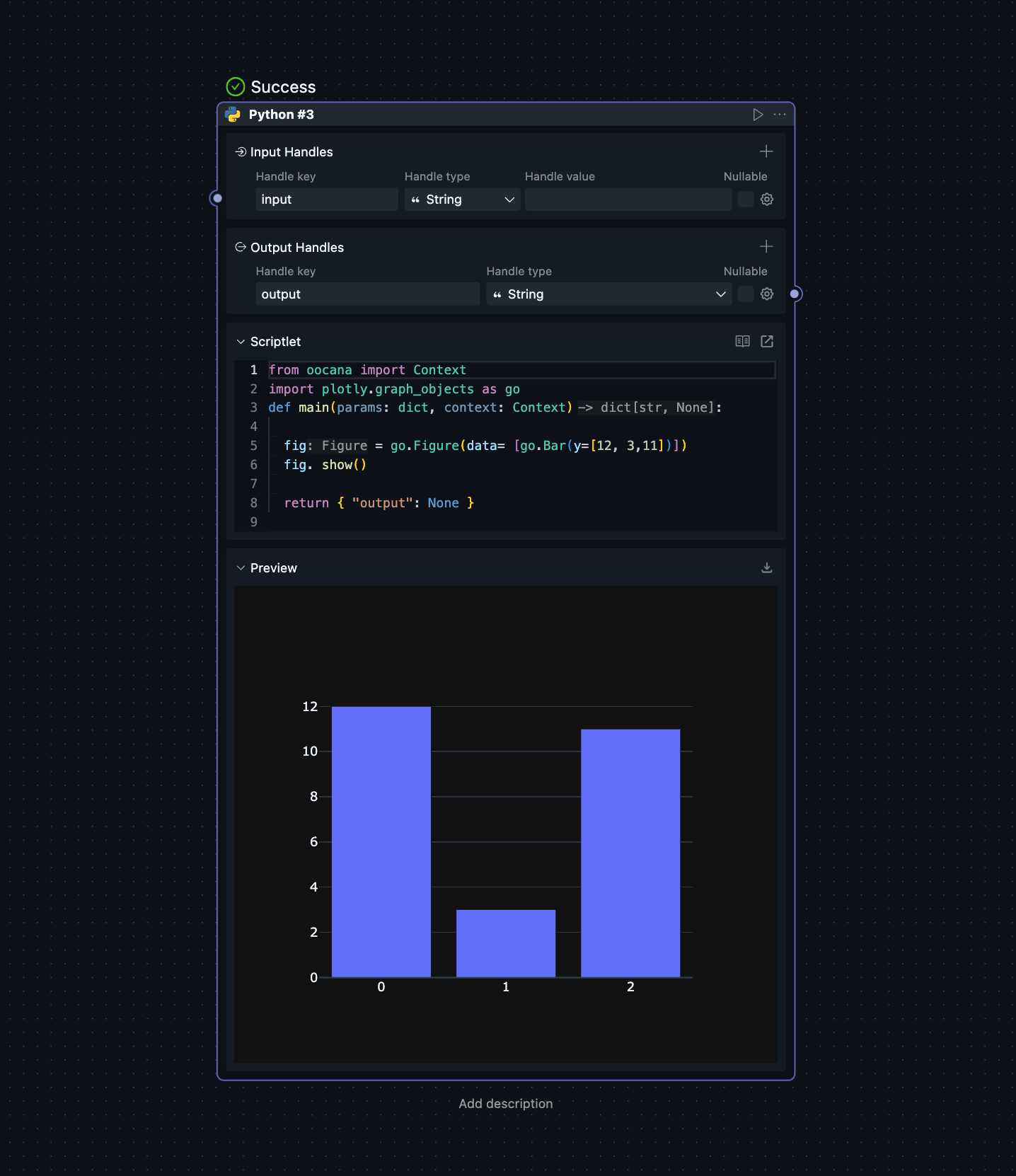
    import plotly.graph_objects as go

    fig = go.Figure(data=[go.Bar(y=[2, 3, 1])])
    fig.show()
Context Types
The OOCANA SDK exposes the API types below to help developers understand and use these interfaces accurately.
class OOMOL_LLM_ENV(TypedDict):
    base_url: str
    base_url_v1: str
    api_key: str
    models: list[str]

class HostInfo(TypedDict):
    gpu_vendor: str
    gpu_renderer: str

class Context:
    def __init__(self, inputs: dict[str, Any], blockInfo: BlockInfo, mainframe: Mainframe, store, outputs, session_dir: str, tmp_dir: str, package_name: str, pkg_dir: str) -> None: ...
    @property
    def logger(self) -> logging.Logger: ...
    @property
    def session_dir(self) -> str: ...
    @property
    def tmp_dir(self) -> str: ...
    @property
    def tmp_pkg_dir(self) -> str: ...
    @property
    def pkg_dir(self) -> str: ...
    @property
    def keepAlive(self): ...
    @property
    def inputs(self): ...
    @property
    def session_id(self): ...
    @property
    def job_id(self): ...
    @property
    def job_info(self) -> JobDict: ...
    @property
    def block_info(self) -> BlockDict: ...
    @property
    def node_id(self) -> str: ...
    @property
    def oomol_llm_env(self) -> OOMOL_LLM_ENV: ...
    @property
    def host_info(self) -> HostInfo: ...
    @property
    def host_endpoint(self) -> str | None: ...
    @property
    def fusion_api_url(self) -> str: ...
    async def oomol_token(self) -> str: ...
    def output(self, key: str, value: Any): ...
        """
        Output data to downstream blocks

        key: str, the output key. It must be declared in the block output definition (`handle` field)
        value: Any, the output value
        """
    def outputs(self, outputs: dict[str, Any]): ...
        """
        Output multiple values to downstream blocks

        outputs: Dict[str, Any], output key/value pairs. Keys must be declared in the block output definition (`handle` field)
        """
    def finish(self, *, result: dict[str, Any] | None = None, error: str | None = None): ...
        """
        Finish the current block and send the result to oocana.
        If `error` is not None, the block finishes in an error state.
        If `result` is not None, the block finishes with that result.
        If both `error` and `result` are None, the block finishes normally with no result.
        """
    def send_message(self, payload) -> None: ...
    def preview(self, payload: PreviewPayload): ...
    def report_progress(self, progress: float | int): ...
        """Report progress

        This API reports the block execution progress. It only affects the UI progress bar and does not change the actual execution progress.
        This API is throttled with a minimum interval of 0.3 seconds.
        The first call reports immediately. After that, progress is reported at the end of each throttle window.

        |       0.25 s        |   0.2 s  |
        first call       second call    third call  4 5 6 7's calls
        |                     |          |          | | | |
        | -------- 0.3 s -------- | -------- 0.3 s -------- |
        report                 report                    report
        :param float | int progress: the block progress value. The value should be in [0, 100].
        """
    def report_log(self, line: str, stdio: str = 'stdout'): ...
    def log_json(self, payload) -> None: ...
    def send_warning(self, warning: str): ...
    def send_error(self, error: str): ...
    def error(self, error: str): ...